




Tap, the new smart light switch and home automation platform from climate technology company, Tewke, is getting smarter. Tap brings lighting, optimised energy use, and home health monitoring together in one place, and now it’s offering even more. Users can now check the quality of their rooms’ air in detail via the Tap app as well as automate their lighting to activate with motion detection.
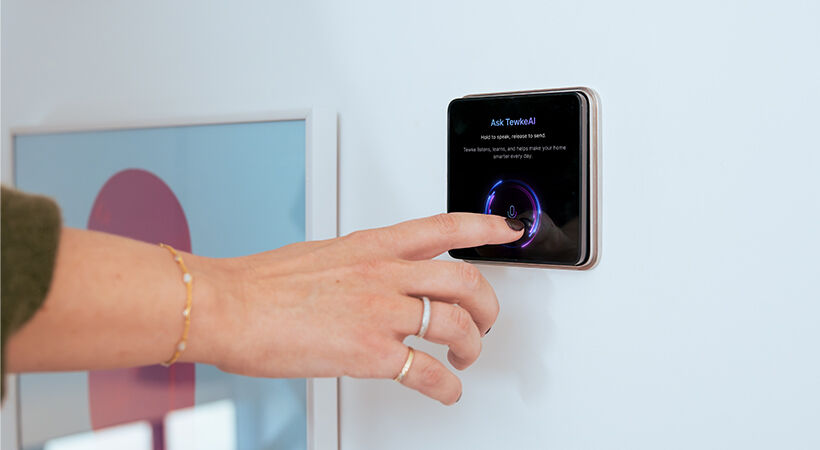
Further enhancements will see two-stage motion sensors automatically turn each Tap switch into a customisable display screen as users pass by, whilst TewkeAI powered by Google Gemini will let homeowners ask Tap questions and receive instant visual answers. Plus, there’ll be smart meter integration, as well as enhanced reporting in the Tap app to provide increased insight on the home’s energy use.
Tap makes lighting feel personal. You can create the perfect ambience for every moment, across every room. Whether its cosy nights in, entertaining with friends or control from outside the home via the intuitive app, Tap makes it super easy. You set the scenes to suit your needs and combine them to create whole home habitats.
Tap puts perfect lighting at your fingertips and now, you can also schedule your lighting to change automatically throughout the day, giving you even more control. You can automate your lighting via the Tewke mobile app, setting up Scenes, Habitats, as well as individual devices to automatically switch on and off depending on time of day (both specifically set times and relative times based on sunrise and sunset) or through motion detection. Enter a room and the lights can automatically turn on, while nagging the kids to turn them off once they’ve left can be a thing of the past!
A further development due by the year end is a great feature that automatically turns every Tap light switch into a useful display as the user walks past. So, as you approach Tap in the short term a clock screen saver will automatically appear, but in the future, Tewke will add functionality so that the display can be controlled and customised from the mobile app. The intelligent switch can differentiate between someone moving at a further distance away from the Tap from someone approaching Tap closely, so that it can auto switch to the usual Tap control once you intentionally walk right up to it.